
Prices and limits are in the page HTML, so crawlers and AI assistants can read them.
Walkthrough · The Semavora playground
From a wrong AI answer to a confirmed fix.
Quillhaven is our playground: an invoicing app for freelancers at quillhaven.example, set up in Semavora so you can see every step. Follow one problem from the first audit to the check that confirms the website fix.
186pages read in one audit
1 of 3sampled AI answers wrong about a plan
1command to connect a coding agent
5steps from audit to confirmed fix
01
Start with what matters most
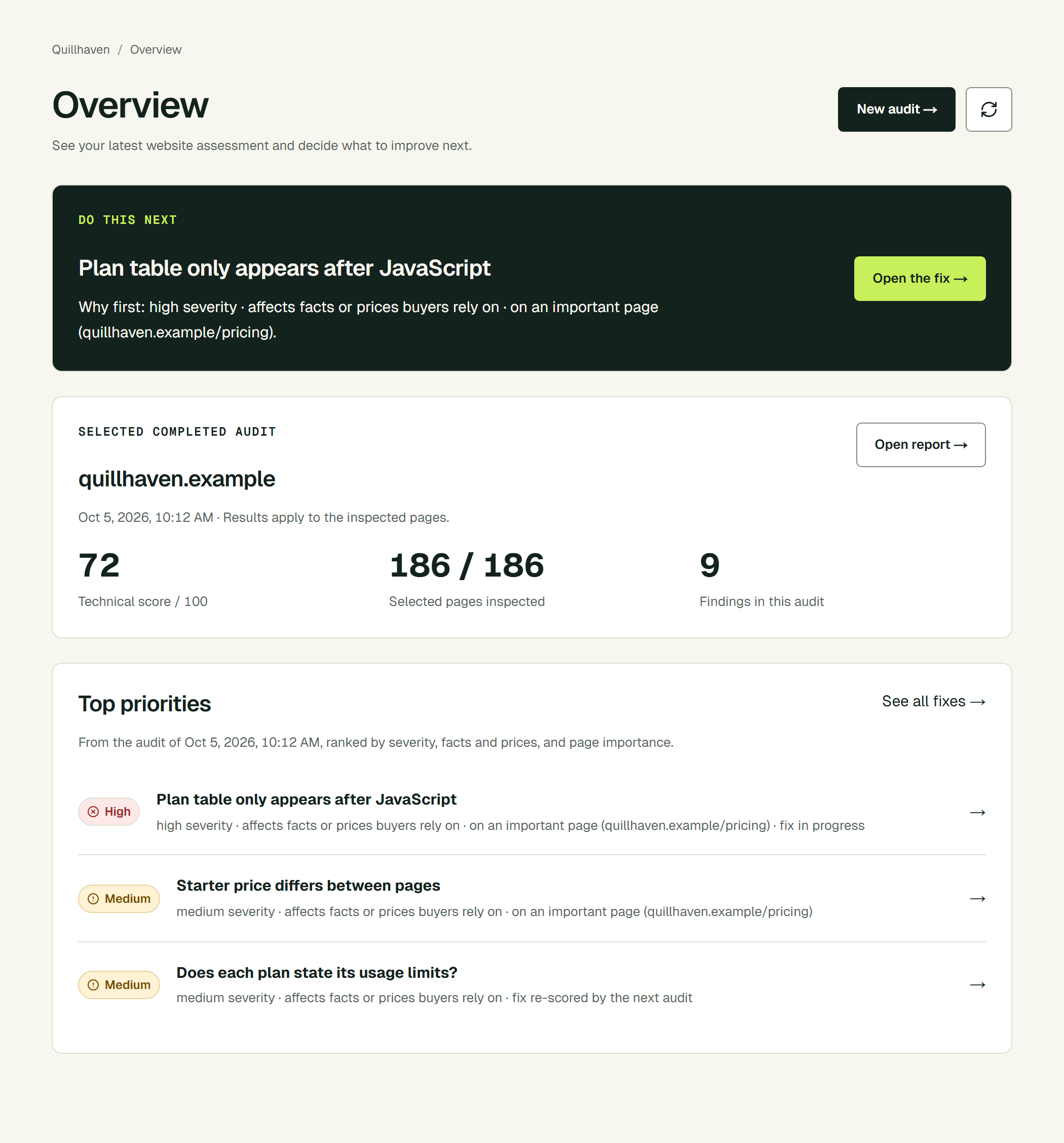
Sign up, verify the domain with one DNS record and run the first audit. In the playground, Semavora read 186 pages, rendered the key ones and ranked the problems.
The top priority wasn’t a missing tag. It was the pricing page: the plan table only appeared after JavaScript ran, so crawlers reading the HTML saw no plans and no limits at all.
02
See what AI tells buyers
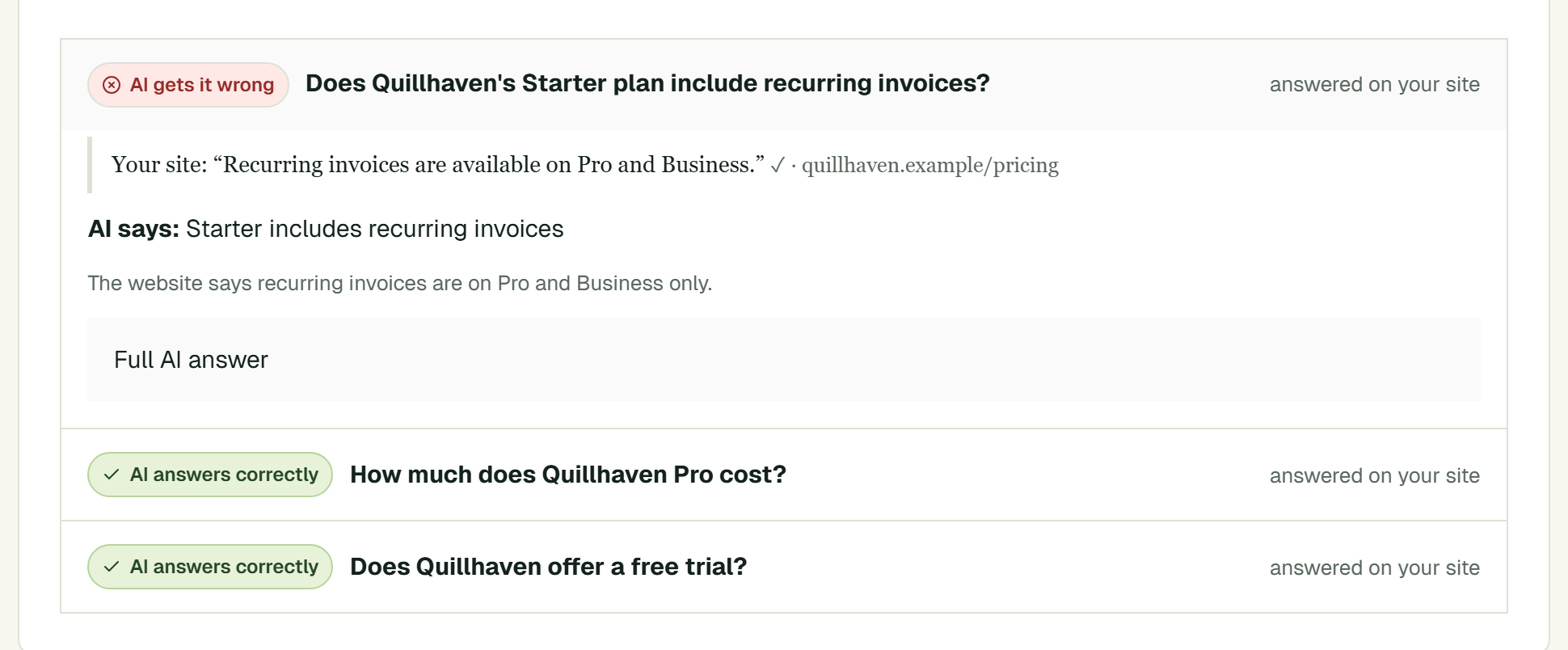
Semavora generates buyer questions from the site’s business profile, asks an AI assistant with web search, then compares each answer with evidence from the website.
“Yes. Starter includes unlimited recurring invoices.”
The pricing page says the opposite. Semavora shows the AI claim next to the exact quote and page, so you can see the answer contradicts your own site.
03
Fix the message, not only the markup
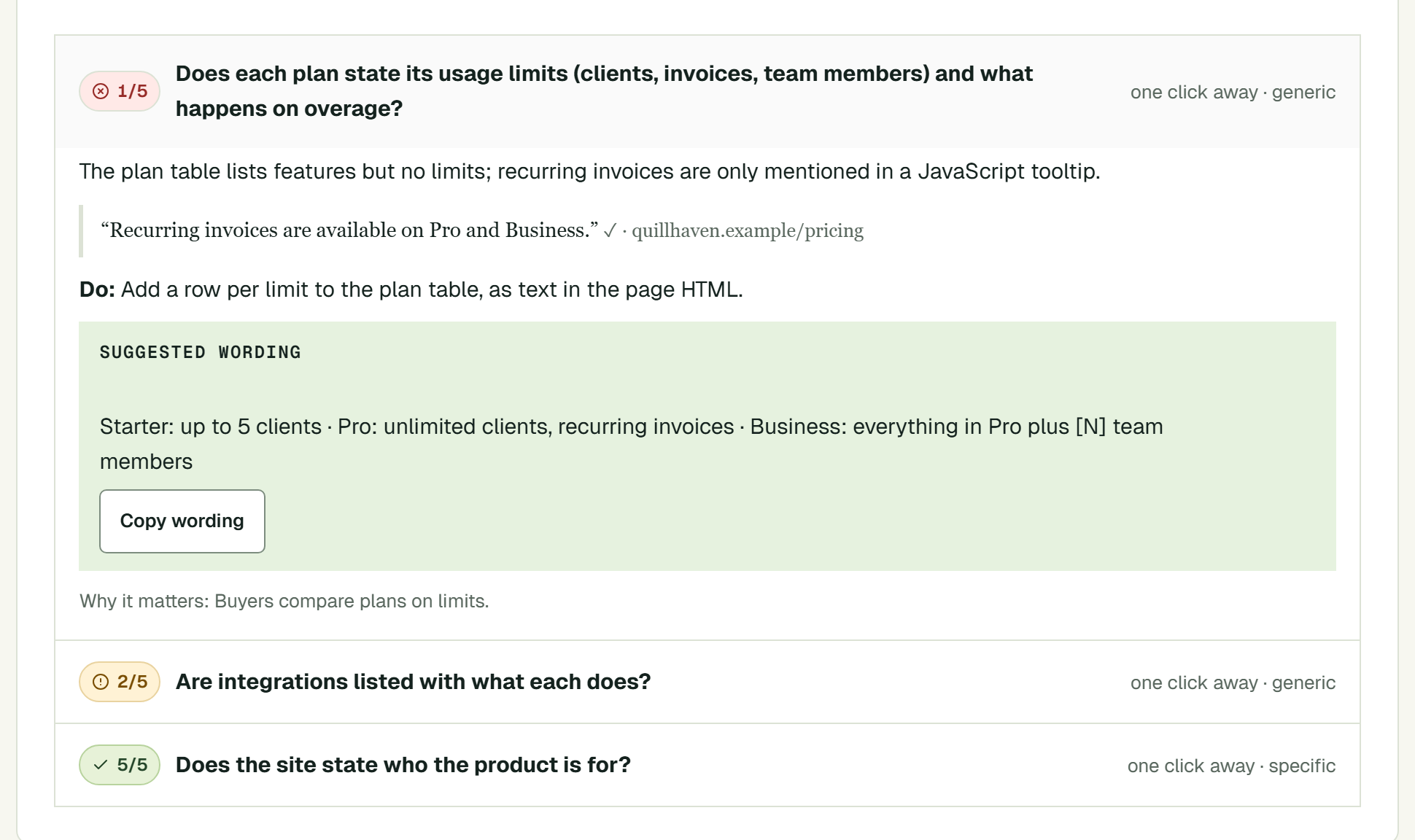
The content review grades the site against the questions buyers of this kind of product ask, using quotes from its pages as evidence. Here, plan limits scored 1 out of 5.
Each gap comes with suggested wording. Anything only the business knows stays a [placeholder], so nothing invented ends up on the site.
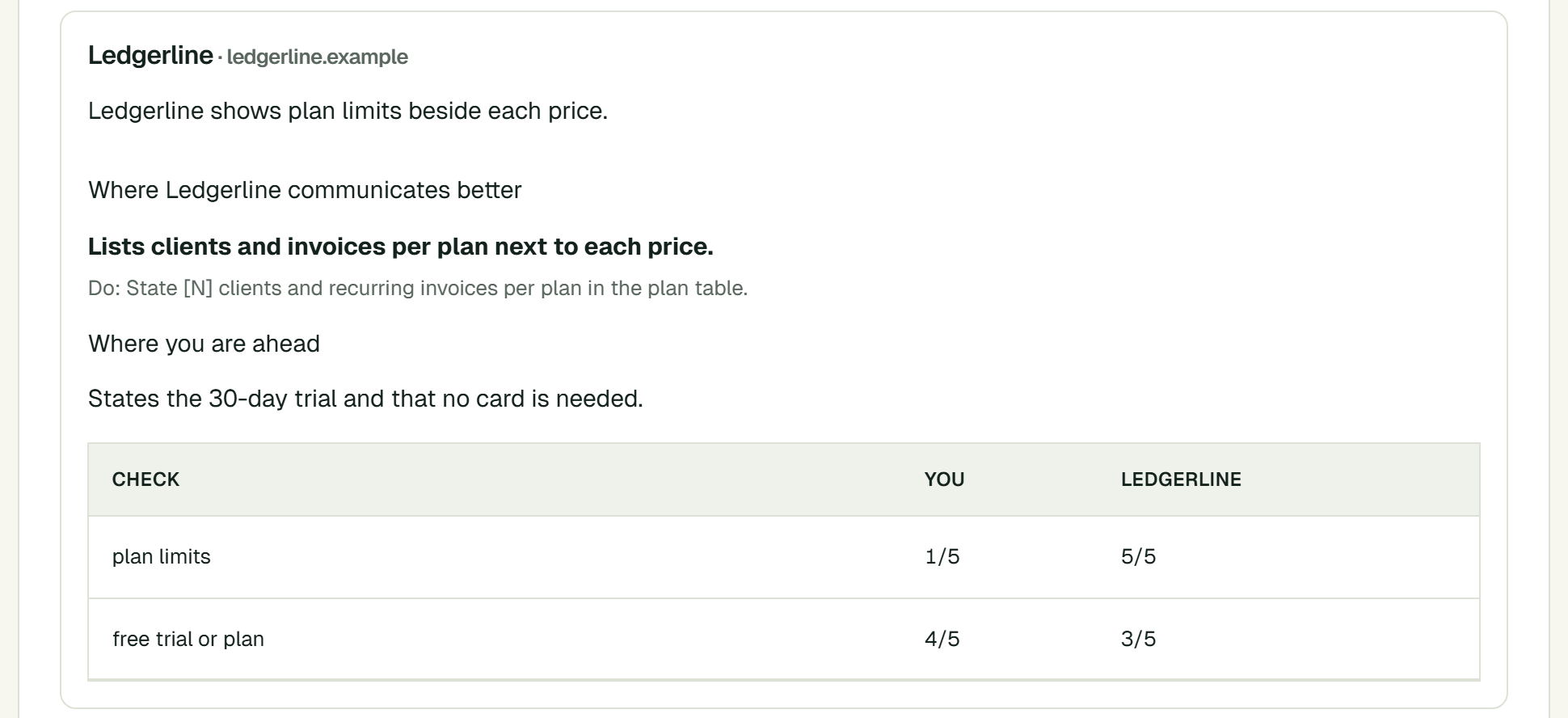
The competitor comparison makes the point sharper: Ledgerline lists limits beside every price.
04
Let the coding agent do the work
Create an agent key in Semavora and connect Claude Code with one command. From then on you can ask in plain words.
The agent reads the priorities and the fix task, server-renders the plan table, adds the limits and opens a pull request. After the change goes live, it asks Semavora to check it.
Codex and Cursor work the same way. Set up your agent.
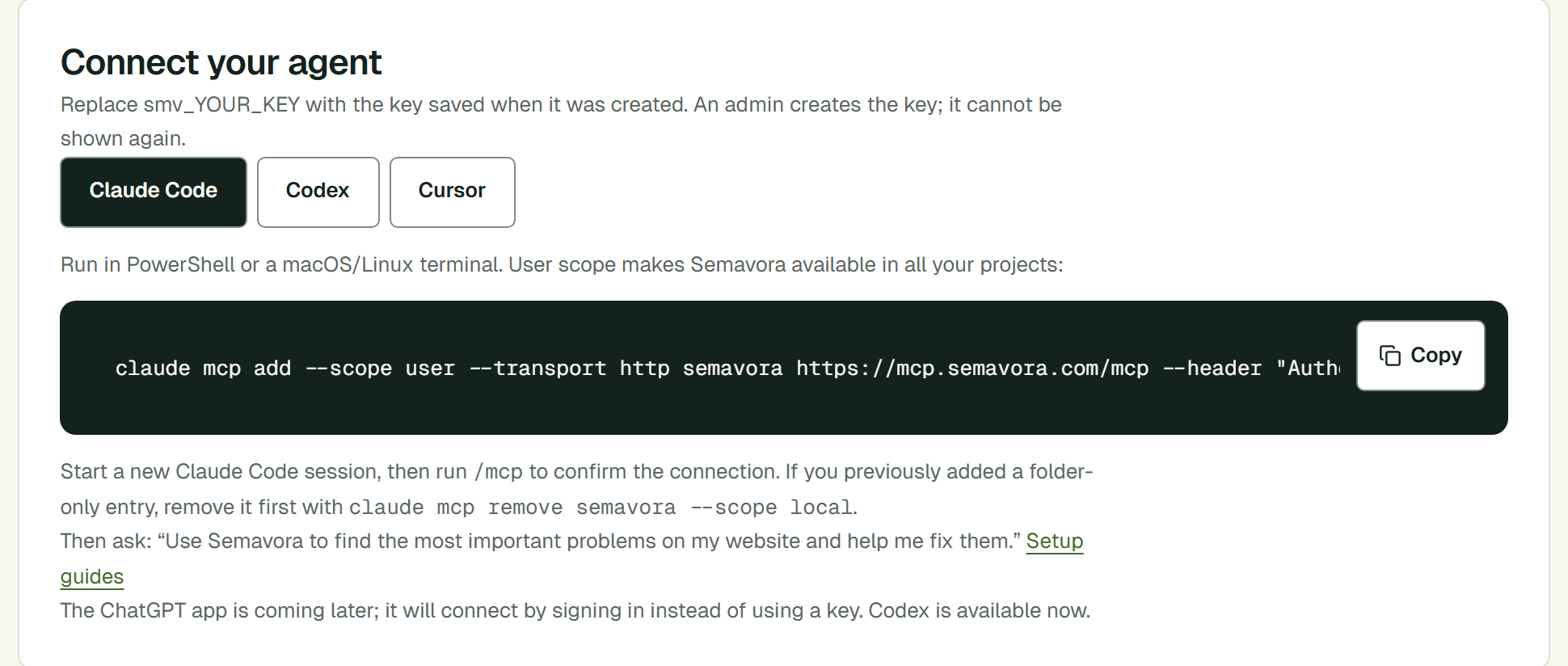
> Use Semavora to fix our top website problem.

semavora.get_priorities   1. Plan table hidden behind JavaScript
semavora.get_fix_task     /pricing · put the plan table in the HTML
  … edits the pricing page, opens a pull request …
  … you review and publish …
semavora.verify_fix       checking the live page
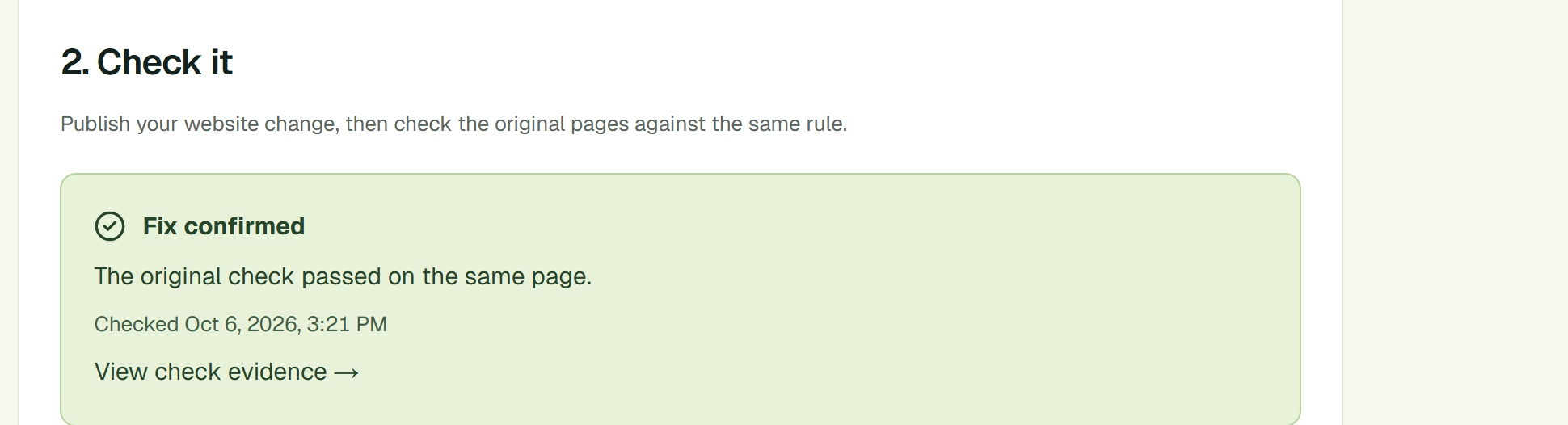
semavora.get_verification fixed · the original check passed
05
Prove it, then keep watching
Semavora re-runs the original check on the same page: the plan table and its limits are now in the HTML. The result is saved next to the original evidence, with the name of the agent that asked for the check.
Weekly audits keep reading the site, so a later change that hides the plans again, or a new conflict between pages, shows up as a new finding.
What you end up with
A fix you can point to.
The original finding, the change and the passing check are saved together, including which agent asked for it.
Weekly audits catch it if a later release hides the plans again or two pages start to disagree.
AI answers vary between runs, and a website fix does not guarantee what an assistant says. What Semavora proves is the website change itself.